
Download Hangouts Chat – Secure Team Collaboration Tool
Overview of Hangouts Chat
Hangouts Chat is Google’s modern, business‑focused chat and collaboration tool that sits at the heart of G Suite (now Google Workspace). Designed as a direct competitor to Slack, this free, cloud‑based app delivers instant messaging, threaded conversations, and project‑specific rooms that keep teams aligned whether they are in the office, on the road, or working remotely. What truly differentiates Hangouts Chat is its native integration with the entire Google ecosystem—Drive, Docs, Sheets, Slides, Calendar, and Meet.
Because it lives inside Google Workspace, users can share a file from Drive, launch a video call in Meet, or schedule a meeting on Calendar without ever leaving the chat window. The platform also supports up to 8,000 participants per room, making it a viable solution for both small startups and large enterprises. Security is baked in: data travels over Google’s encrypted infrastructure, and administrators can enforce single‑sign‑on (SSO) and data‑loss‑prevention policies.
With AI‑powered bots that automate routine tasks—such as creating calendar events, pulling analytics, or posting daily stand‑up reminders—Hangouts Chat not only streamlines communication but also reduces manual workload. While Google offers several communication apps (Chat, Meet, Duo, the legacy Hangouts), Hangouts Chat remains the go‑to solution for text‑based collaboration within the Workspace suite. Its regular updates ensure the tool stays current with the latest security patches and feature enhancements, delivering a reliable, future‑proof experience for modern teams.
Key Features, Pros & Cons
- Deep integration with Google Drive, Docs, Sheets, Slides, Calendar, and Meet.
- Threaded conversations and dedicated rooms for projects, topics, or departments.
- AI‑driven bots that automate scheduling, file retrieval, and workflow triggers.
- Support for up to 8,000 users per room, scalable for large organizations.
- Secure, encrypted communication with admin‑level controls and SSO support.
- Cross‑platform availability on web, Windows, macOS, Android, and iOS.
- Free for Google Workspace users, with regular updates and feature rollouts.
Pros
- Seamless Google ecosystem integration: No need for third‑party connectors; files and meetings are a click away.
- Scalable architecture: Handles large rooms and high message volumes without performance degradation.
- AI automation: Bots reduce repetitive tasks and keep teams focused on core work.
- Strong security posture: End‑to‑end encryption and granular admin controls protect sensitive data.
- Cost‑effective: Included with Google Workspace, eliminating extra licensing fees.
Cons
- Learning curve for non‑Google users: Teams transitioning from other platforms may need time to adapt.
- Limited customization compared to Slack: Fewer third‑party app integrations outside Google’s suite.
- Potential confusion with other Google apps: Users may need clear guidance on when to use Chat vs. Meet or Duo.
- Desktop client is web‑based: No native Windows/macOS client, though the web app is fully functional.
Overall Rating: 4.5 / 5 – Hangouts Chat delivers a secure, AI‑enhanced collaboration experience that shines best for organizations already invested in Google Workspace.
Installation, Usage & Compatibility
How to Download and Install
Getting started with Hangouts Chat is straightforward. For desktop users, simply navigate to the Google Workspace Marketplace, search for “Hangouts Chat,” and click “Install.” The app is a web‑based client, so after installation you’ll be redirected to the chat interface in your default browser. Mobile users can download the free Hangouts Chat app from the Google Play Store (Android) or the Apple App Store (iOS). The installation process on both platforms follows the standard “download → install → sign in” flow, leveraging your existing Google Workspace credentials for seamless SSO authentication.
First‑Time Setup and Configuration
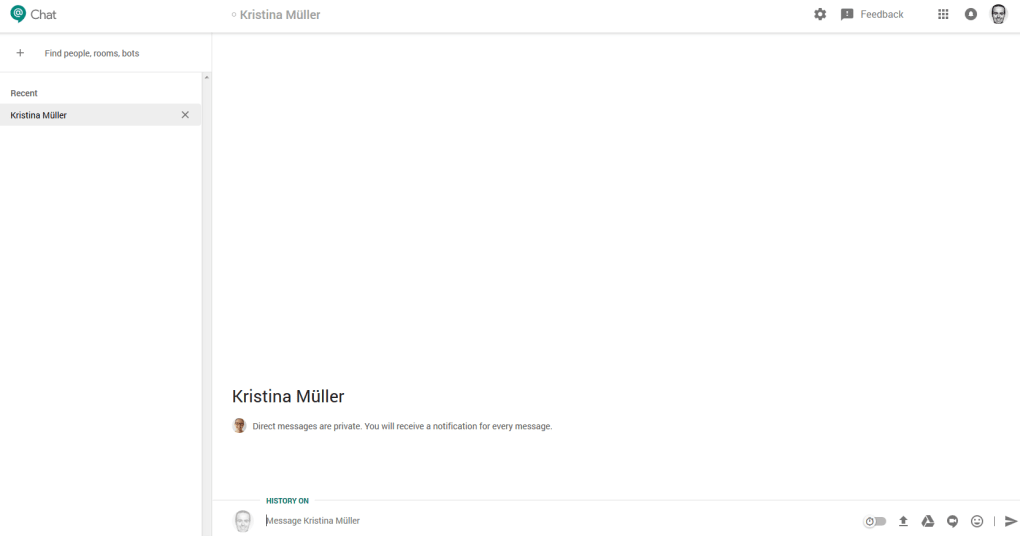
Upon first launch, administrators can configure organization‑wide settings from the Google Admin console. Options include enabling or disabling external chat, setting retention policies, and managing bot permissions. End users can personalize their experience by creating custom rooms, adding members, and pinning favorite conversations. The intuitive UI lets you start a direct message, launch a room, or invoke a bot by typing “/” followed by the bot name (e.g., /calendar to schedule a meeting). Files from Google Drive can be shared instantly by dragging them into the chat window or using the paper‑clip icon.
Supported Operating Systems
Hangouts Chat runs on any modern web browser, making it compatible with Windows 10/11, macOS 10.15+ (Catalina and later), Chrome OS, as well as Linux distributions that support Chrome or Firefox. The dedicated mobile apps are available for Android 6.0+ and iOS 13+. Because the service is cloud‑based, updates are applied automatically, ensuring users always have the latest security patches and feature enhancements without manual intervention.
Best Practices for Efficient Use
To maximize productivity, encourage teams to adopt threaded conversations for each project, use @mentions to alert specific colleagues, and integrate bots for routine actions like daily stand‑ups or task reminders. Leverage the “Rooms” feature to keep discussions organized and avoid clutter in direct messages. Regularly review admin settings to ensure compliance with your organization’s data‑privacy policies, and take advantage of Google’s audit logs to monitor usage patterns and detect any unusual activity.
FAQ – Frequently Asked Questions
Is Hangouts Chat free to use?
Yes, Hangouts Chat is included at no extra cost for all Google Workspace (formerly G Suite) subscribers. There is no separate licensing fee, making it a cost‑effective choice for teams already using Google’s productivity suite.
Can I use Hangouts Chat on Windows and macOS?
Absolutely. The web client works on any modern browser on Windows 10/11 and macOS Catalina or later. While there isn’t a native desktop client, the browser experience is fully featured and receives automatic updates.
How secure is the data transmitted through Hangouts Chat?
Data is encrypted in transit using TLS 1.2+ and at rest on Google’s servers. Administrators can enforce additional security measures such as SSO, 2‑step verification, and data‑loss‑prevention policies.
What AI capabilities does Hangouts Chat offer?
Google’s AI bots can automate tasks like scheduling meetings, pulling reports from Sheets, or posting reminders. Users interact with bots via simple slash commands, and developers can create custom bots using Google Apps Script or the Chat API.
Can I integrate third‑party apps like Trello or Asana?
Direct integration with non‑Google apps is limited compared to Slack. However, you can use webhooks or create custom bots to bridge Hangouts Chat with tools like Trello, Asana, or GitHub, though this may require some development effort.
Conclusion – Why Download Hangouts Chat Today?
Hangouts Chat stands out as a secure, AI‑enhanced collaboration tool that capitalizes on Google’s powerful ecosystem. Its threaded rooms, deep Drive integration, and intelligent bots make it an ideal choice for teams seeking a unified, cost‑effective communication platform. Whether you’re a small startup or a global enterprise, the ability to host up to 8,000 participants per room ensures scalability without sacrificing performance.
The free inclusion with Google Workspace, combined with regular security updates, provides a low‑risk, high‑value solution that keeps your data safe and your workflow smooth. Ready to boost your team’s productivity? Download Hangouts Chat now and experience a seamless, secure, and AI‑powered chat environment that keeps your projects moving forward.



.png)



